
General
- General
- Solutions
- Products
- Cases
- Technology
- News
Features:
*Subtitle insertion function: supports inserting subtitles (marquee) on the content management screen, freely setting text size, background, color, scrolling speed, display position, and real-time editing and preview;
*Supports file upload review, file release review, and resource release review. Review configuration supports free setting of reviewers, up to 5 levels, with a maximum of 1 person at each level.
*Supports file upload management, with a built-in transcoding tool. Supports image formats including PNG, JPG, JPEG, and GIF; video formats including MP4, MKV, WMV, FLV, F4V, M4V, and RMVB; audio format MP3; and document formats including DOC, DOCX, XLSX, and PDF.
*Supports batch uploading of images, one-click preview, quick file location search, file detail viewing, list/grid viewing, and file group management;
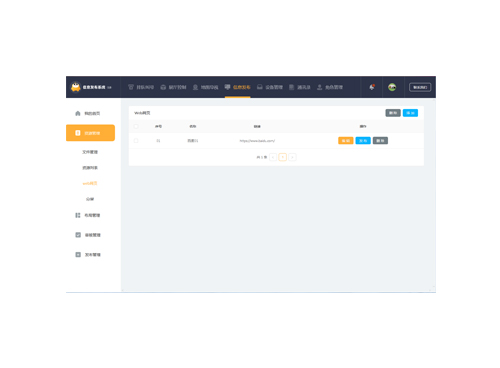
*Supports web resource publishing and split-screen resource production. One screen can be evenly divided into multiple blocks, each of which plays different content. The operation is simple and easy to use.
*Supports the release of material resources, including pictures, videos, files, and audio.
*Supports setting scheduled power on/off tasks and scheduled restart tasks for devices, which can be set for single, daily, or custom execution;
*Supports batch adjustment of device volume, batch restart of devices, batch time synchronization of devices, batch deactivation/activation of devices, and device list/grid viewing. The current playback screen of the device can be viewed in grid format.
*Supports multiple playback modes, including continuous playback, cyclic playback, idle playback, and overlay playback. Offers options for offline playback, online playback, and various other playback methods. Supports the program rollback feature for unfinished programs.
Supports 'one screen, one content' and 'one screen, same content' modes for multi-screen displays.
*Supports program review function, notifying the submitter when the program is successfully reviewed or rejected, and notifying the reviewer when the program is pending review.
*Supports administrators to create multiple roles, each role has different management permissions, device management permissions can be assigned separately, system permissions are flexible and can be freely configured;
*Supports the management of content management terminal devices and custom device names; supports automatic scanning of devices on the network. Device groups can be added for easy management.
*Supports viewing device hardware information, viewing device storage usage, clearing device cache, refreshing/downloading device current playback screenshots, viewing the device's current playback task date format, and viewing the device's current power on/off task date format;
*Supports operation log viewing and log filtering to facilitate maintenance viewing.
*Address book management, supports enabling/disabling accounts. Once disabled, the account cannot log into the system. Also supports account password reset.
*It provides an embedded H5 editor with more than 50 parameters for adjustment, supports multi-layer editing, supports basic settings such as main image, title, description, etc., and can add background music, loading animation, page turning animation, and page background settings (background, template, size, background color).
*The home page provides quick access to common functions and a FAQ module to support users to view FAQs (text/pictures) and solve basic questions. It also supports real-time data viewing of server storage space and usage.
*The platform supports the production of four types of broadcast programs: playlist, H5 editor program, article editor program, live stream, and supports program group management;
*Content management: Manage release history, supports filtering by resource type, playback type, and creation date. Also supports program rollback for previously published content
Please leave a message if necessary, we will contact you as soon as possible!