General
- General
- Solutions
- Products
- Cases
- Technology
- News

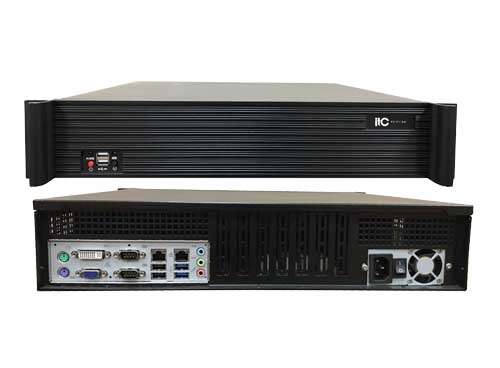
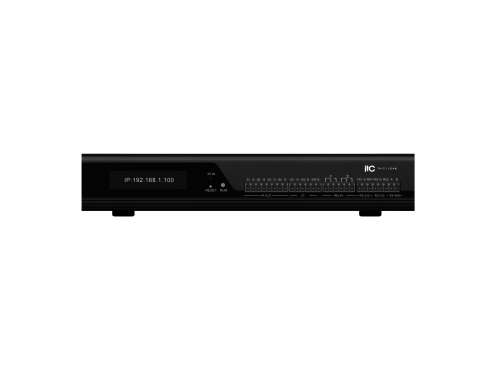
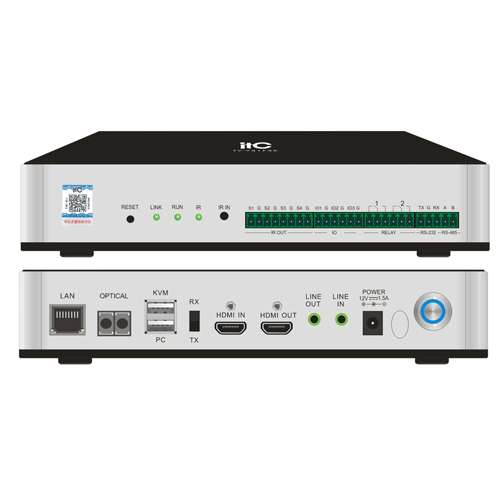
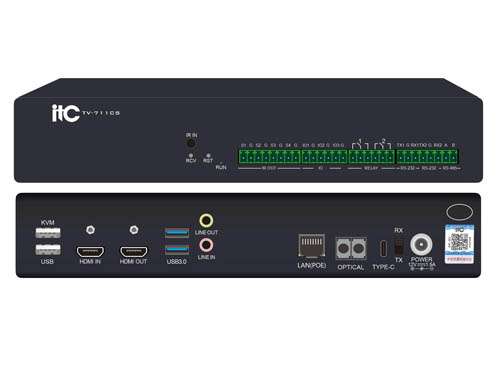
Distributed integrated management platform software is the operation core of the entire system, enabling unified access management of multiple types of signals. Signals are connected to the input box and processed by the system, and then output to the display system via output box. The system can access audio and video sources such as computer/server/camera/DVD/video terminal, and display these signals to the large display system or output to the sound system. It is widely used in conference rooms, command centers, video conferences, dispatch centers, lecture halls, banquet halls and other places.
* The software runs on the Linux system, supports domestic operating systems such as Kylin and Uniontech, and domestic CPUs such as Loongson, Zhaoxin, Phytium, and Kunpeng. It is stable and reliable, and can efficiently manage, control, and interact with system equipment.
* The system adopts a distributed architecture, which is more flexible in expansion and control. It can physically and safely isolate the signal through the acquisition box (input box), that is, it can realize the control of the signal source or the passive reception of the back end; the system has good expansion and upgrade performance. Just add the input node (acquisition box )/output node (decoder box) of the system as needed.
* The system adopts B/S and C/S management and control architecture, supports web page web access system background management, and supports the management and real-time monitoring of the input box (acquisition box ) and output box (splicing box) through a web browser. Support visual management of distributed systems using ipad tablet software, Android tablet software, and Windows computer clients; signal switching, screen overlay, picture-in-picture, screen stitching, screen roaming, screen scale, screen move/close, etc. Support real-time monitoring of the display control area; support multi-user multi-platform synchronous operation, support real-time synchronization of operation interfaces of different platforms.
* Support remote control to upgrade input box/output box application program, support remote batch upgrade function. Support automatic detection of box online and offline status, IP address, box name, etc. Support functions such as binding and unbinding of splicing units, and IP display.
* Support custom settings of background web interface and mobile terminal operation interface, support multi-level management mode; support login management of different users, and support permission assignment: different users can present different control interfaces, and different users can manage and operate different input boxes/output boxes . Support remember password and automatic login function.
* Support the function of signal classification and sorting, and quickly select the signal source for switching, and realize the visual real-time preview of the signal source in the mobile terminal or client software, support tree signal display mode.
* Support free operation, support dragging video sources to the display control area, realize window management, splicing, flexible scaling, picture-in-picture, picture roaming and other functions of all video signal sources, and realize the adjustment of window parameters (superposition relationship, position, size, proportion, etc.), convenient drag and drop operation, easy to use.
* Support setting combined signal, splicing multiple signal sources into a combined signal according to the screen layout, you can open the window of the combined signal with one key, and all the signal sources in the combined signal will be displayed in the window at the same time.
* Support standard resolution mode and non-standard LED resolution mode (the characteristic of irregular resolution of LED modules), suitable for all kinds of display screens.
* Support custom editing and pre-save different scenes, support display plan setting, storage, recall; support audio, video, control signal scene one-click quick recall, can define different scene switching effects and scene names, support custom editing conference mode, invoke the pre-stored conference mode. The scene switching response time is short, ultra-low latency, the picture is extremely smooth, the window operation responds immediately, and it will be displayed on the large screen immediately once the finger leaves the operating platform. Support scene polling, and the polling time is adjustable; support scene lock screen function.
* Support the one-key recovery function of the system scene, completely restore any control state in the system to the previous state after power off and restart, including volume level, light status, etc. No need to set them one by one.
* Three windowing modes, including curing mode, free mode, and rectangle mode.
* Support central control function, support custom addition of controlled devices, realize editable central control, support RS-232, RS-422, RS-485, IR, I/O, TCP、UDP、REALY、 scene and other control methods; support a variety of controls selection, you can configure the central control interface at will. It can control central control functions such as HD matrix signal switching, power devices, camera turning, zooming in and out, preset position invocation, audio volume, light/air conditioner, etc.
* Support the interactive control architecture of the distributed central control system, realize the remote management of environmental equipment, centralized management, and scene invocation of the conference room, and realize the interconnection and interaction of audio and video control of multiple conference rooms.
* Support adjusting the brightness value, contrast value, hue value and saturation value of the video wall, all in the range of 0-100.
* Support scene polling function, select the scene to participate in polling, set the polling interval as "disabled", "30S", "60S", "90S" or "180S"; support scene lock screen function.
* Support the automatic backup configuration of input box (acquisition box ) and output box (splicing box), and the configuration can be automatically restored after power off and restart, without worrying about data loss.
* Support remote firmware upgrade of input box and output box through the system background, without the need to upgrade locally to the box, reducing the work intensity of maintenance personnel.
* Support adding wall subtitles, you can set the subtitles' coordinates, font size, font color, background color, transparency, font spacing, scrolling speed, font type, arrangement, whether to center, etc., support real-time subtitle echo on the web, you can drag the subtitles to manually adjust the position.
* Support setting signal source subtitles for a single input node terminal, you can set the subtitle position as upper left, lower left or custom coordinates, you can set font color, background color, font size, transparency, etc.
* According to the configuration node type, the system supports the function of pushing the ultra-high-definition base map to the display wall or related distributed nodes through the management software or the background web page, and supports 1:1 lossless display.
* The system supports ONVIF, RTSP, SIP, and GB/T28181 protocols, and can automatically search for IP cameras that support ONVIF protocols, and can open the window of the IP camera screen to the output box for display; expansion and camera tracking management software can be connected to Haikang , Dahua, Huawei, Kodak, Uniview and other brands of cameras; with the video distribution system, it supports access to up to 1,000 IP camera signals. Support storage and recording of IP camera video content through the recording and broadcasting server, and preview, download, video playback and other functions can be performed through the background.
* Support recording and storage of audio and video signals collected by the input box. The size of a single video recording file can be set to 512MB, 1GB, 2GB or 3GB, and the storage days can be set to 3 days, 7 days, 15 days, 30 days or forever. It can record up to 8 signals at the same time; it can delete or download the recorded files in batches.
* Support setting the audio binding mode to manual binding mode or automatic binding mode.
* Support system server dual-system hot backup function. When the main server fails to work due to network disconnection/power failure, the system will automatically seamlessly switch audio, video, and KVM functions to the standby server.
* Support system data backup and recovery. The backup data includes all configuration information such as system configuration, current splicing mode, splicing scene, etc. Support can be manually downloaded to the local, when data recovery is performed, only the data to be restored needs to be uploaded and imported.
* The system extension supports linkage with digital conference systems, cameras and other equipment, which can realize the automatic tracking of the linked camera and the opening of the window to display the screen when the microphone is pressed to speak.
* Support 36 channels of video or picture on demand, can generate 4K or 1080P video signal source, and can open a window to display the video signal generated by on demand on the video wall in real time. Support mp4, jpg, png, bmp, tif, tga and other common format file upload for on-demand.
* The system extension supports connecting with temperature and humidity sensors, PM2.5 sensors, etc., and supports the display of environmental information such as temperature, humidity, and PM2.5.
* Support server cascading, cascade management server, recording server, multimedia gateway server, etc. for unified management.
* Support cross-domain cascading of servers, not limited to the local area network, and can be deployed in the Internet environment. After the servers are cascaded, the upper-level server can call any signal source of the lower-level server for window display. At the same time, the upper-level server also supports sharing the specified signal source to the lower-level server for window display.
* Support the repair mechanism when the network packet is lost. When 20% of the network packet is lost, the audio and video are clear and smooth, without stuttering or mosaic.
* Support the function of remote control computer power on and off, and support the connection between the system and the computer through the I/O port of the input box or output box to realize the power on and off management.
* Support the display of system status data in the form of graphs, and support the real-time statistics and display of the online and offline numbers of input boxes/output boxes, the online and offline numbers of cameras, the online and offline numbers of central control equipment, the number of conference rooms, and the number of walls. Quantity, number of scenes, number of users, server CPU usage, memory usage, hard disk usage, and the resource data of the server at a glance.
* Support audio management, can bind the audio signal of multiple input nodes to a single output node, and can independently adjust the audio volume of any node;Support setting the audio equalizer of the output node, enable or disable the equalizer, enable or disable dynamic compression, built-in 18 commonly used equalizer scenes, support one-key switching, and can also fully customize the settings, for 60Hz, 170Hz, 310Hz, 600Hz, 1KHz, 3KHz, 6KHz, 12KHz, 14KHz, 16KHz and other audio frequency bands can control the gain separately, the range is -20dB to 20dB.
* Support the control node box to enable or disable the national secret algorithm SM2, SM3, SM4 encrypted transmission.
* Support binding gesture recognition nodes to any splicing wall, through the gesture recognition node, the operator's gestures can be recognized and converted into control commands to select any signal of the current splicing wall for dragging, zooming in, zooming out, full screen, page turning PPT and other operations .
* Support cropping of input box signals, cropping coordinates, cropping width and height.
* Support turning on or off the signal annotation function for the input box, support annotation of input signals, support free drawing, straight line, arrow, square, circle, triangle and other annotation forms, can set the thickness and color of the annotation line, can undo or restore the annotation operation, can delete the annotation or delete all by selecting the eraser.
* Add a time display control to a video wall. You can set the time display's coordinate position, font size, font color, background color, transparency, font spacing, font type, and display style. Manual dragging and pixel-level adjustment are supported.
* Add a temperature display control to a video wall. You can set the temperature display's coordinate position, font size, font color, background color, transparency, font spacing, font type, temperature prefix, and temperature suffix. Manual dragging and pixel-level adjustment are supported.
* Add a humidity display control to a video wall. You can set the humidity display's coordinate position, font size, font color, background color, transparency, font spacing, font type, humidity prefix, and humidity suffix. Manual dragging and pixel-level adjustment are supported.
* Add a real-time people counter control to a video wall. You can set the display's coordinate position, font size, font color, background color, transparency, font spacing, font type, statistics prefix, and statistics suffix. Supports manual dragging and pixel-level fine-tuning in all four directions.
* Supports adding a traditional clock control to a video wall. You can set the clock's display coordinates, width and height, background color, hour hand color, minute hand color, second hand color, hour hand scale color, minute hand scale color, second hand scale color, clock numeral color, clock circle or square style, and transparency. Supports manual dragging and pixel-level fine-tuning in all four directions.
* Supports adding a table control to a video wall. You can set the table's coordinates, width and height, number of rows and columns, horizontal alignment, vertical alignment, font size, font type, font color, fill color, border color, border size, and transparency. Supports manual dragging and pixel-level fine-tuning in all four directions.
* Supports configuration of AI analysis tasks. Multiple monitoring tasks can be configured simultaneously for distributed node boxes supporting AI analysis. Monitoring areas or lines can be drawn, and monitoring tasks can be assigned to each area or line. Real-time analysis and alarms are generated for designated input box signals or IPC signals. Video recording within 75 seconds before and after an alarm can be configured. The computing power utilization percentage of each AI analysis node can be viewed.
* Supports configuration of AI target recognition algorithms, enabling video structured analysis functions such as pedestrian attribute recognition, crowd counting, area headcount, area overload detection, face capture, face recognition, pedestrian capture, vehicle capture, high-frequency stranger detection, and low-frequency person detection.
* Supports configuration of AI perimeter protection algorithms, enabling video structured analysis functions such as area intrusion detection, electric bicycle entry into elevator detection, and non-motor vehicle illegal parking detection. 50. Supports configuration of AI behavioral recognition algorithms, enabling video structured analysis capabilities such as identification of people leaving their posts, not wearing masks, making phone calls, smoking, falling, fighting, wandering, using mobile phones, holding knives, sleeping, climbing, climbing over walls, and crowd gatherings.
* Supports configuration of AI work safety recognition algorithms, enabling video structured analysis capabilities such as identification of people not wearing work clothes, shorts and short sleeves, not wearing helmets, and not wearing reflective clothing.
* Supports configuration of AI environmental safety recognition algorithms, enabling video structured analysis capabilities such as identification of smoke, open flames, overflowing trash cans, exposed garbage, and objects thrown from high places. 53. Supports configuration of AI-powered traffic recognition algorithms, enabling video structured analysis capabilities such as illegal parking identification, vehicle flow statistics, regional vehicle statistics, vehicle congestion detection, overparked vehicle detection, license plate obstruction detection, concrete mixer truck identification, muck truck identification, uncovered muck truck identification, safety rope identification, and exposed soil detection.
* Supports configuration of AI-powered water service recognition algorithms, enabling video structured analysis capabilities such as man-overboard detection, regional vessel counts, vessel traffic flow statistics, and vessel intrusion detection.
* Supports work uniform library management, allowing grouping of work uniforms. After uploading, work uniforms are automatically modeled, with the ability to filter for unmodeled, successfully modeled, or failed modeling.
* Supports real-time AI analysis and statistics, supporting unified management of alarm information for multiple scenarios, with multi-select query filtering by signal source, time period, and alarm type. Videos automatically recorded during alarms can be viewed, and batch export of alarm events and videos is supported. 57. Supports real-time viewing of AI alarm information. You can select a signal source to view real-time AI video analysis, view alarm screenshots and alarm types, and display percentage data and graphs for different alarm types by time period.
* Supports PPT-to-video conversion, allowing you to upload original PPT files to a server and convert them into video files while preserving the dynamic playback effects of animated images and videos in the PPT. It also supports page turning, page pause, and loop playback of the PPT during video playback.
* Supports setting on-demand video to PPT mode or normal mode. In PPT mode, you can set the duration of each PPT page.
* Supports web-based visual preview, real-time playback of the signal source image and video wall image, and web-based KVM control of individual input boxes.
* Supports collection and statistics of distributed node and video wall alarm information, displaying alarm type, alarm device name and IP address, alarm time, and alarm content.
* Supports setting video wall window layouts to common layouts such as 1P, 4P, 9P, 1+4P, 1+5P, 1+7P, 2+8P, 1+12P, and 16P. You can also customize the number of rows and columns in the video wall layout, use the original layout of the video wall output box, and enable auto-fill layout mode.
* Supports signal polling for the video wall, with settings for the polling task name, polling interval, polling window coordinates, width and height, and the input boxes or IPCs involved in the polling. Supports polling only for video-on-demand signals.
* Supports copying and pasting scenes from one video wall to another.
* Supports scene polling, with settings for polling scenes and intervals.
* Supports customizing the row height and column width of the video wall, adapting to the layout of LED sending cards.
* Supports binding input signal transmission methods for video walls. The same input signal can be bound to different transmission methods for different video walls, and the transmission method can be set to UDP multicast, UDP unicast, or TCP.
* Supports account KVM control permission settings, allowing accounts to set KVM control permissions for each input box to "monitor and control" or "monitor only."
* Supports manual scene restore, restoring signal windowing status, audio binding status, and video wall subtitles.
* Supports binding video wall recording boxes to each video wall, allowing you to copy the video wall layout for recording.
* Supports signal linkage, allowing you to bind signal source groups to each video wall to filter out irrelevant signal sources.
Please leave a message if necessary, we will contact you as soon as possible!